
Disclaimer: This post contains affiliate links. If you make a purchase through these links, I may earn a small commission at no extra cost to you.
How to Get Studio-Quality Audio Anywhere: The Ultimate DJI Mic 3 Setup Guide
If you are a content creator, podcaster, or vlogger in the US, you already know that bad audio kills great video. You can shoot in stunning 4K, but if your audio is filled with wind noise, echoes, or volume drops, viewers will click away within seconds.
Enter the game-changer: the DJI Mic 3 (2 TX + 1 RX + Charging Case). Packed with pro-grade features like 32-bit float internal recording and adaptive gain control, this ultralight wireless microphone system is designed to deliver crystal-clear audio even in the chaotic, crowded environments of street interviews or travel vlogging.
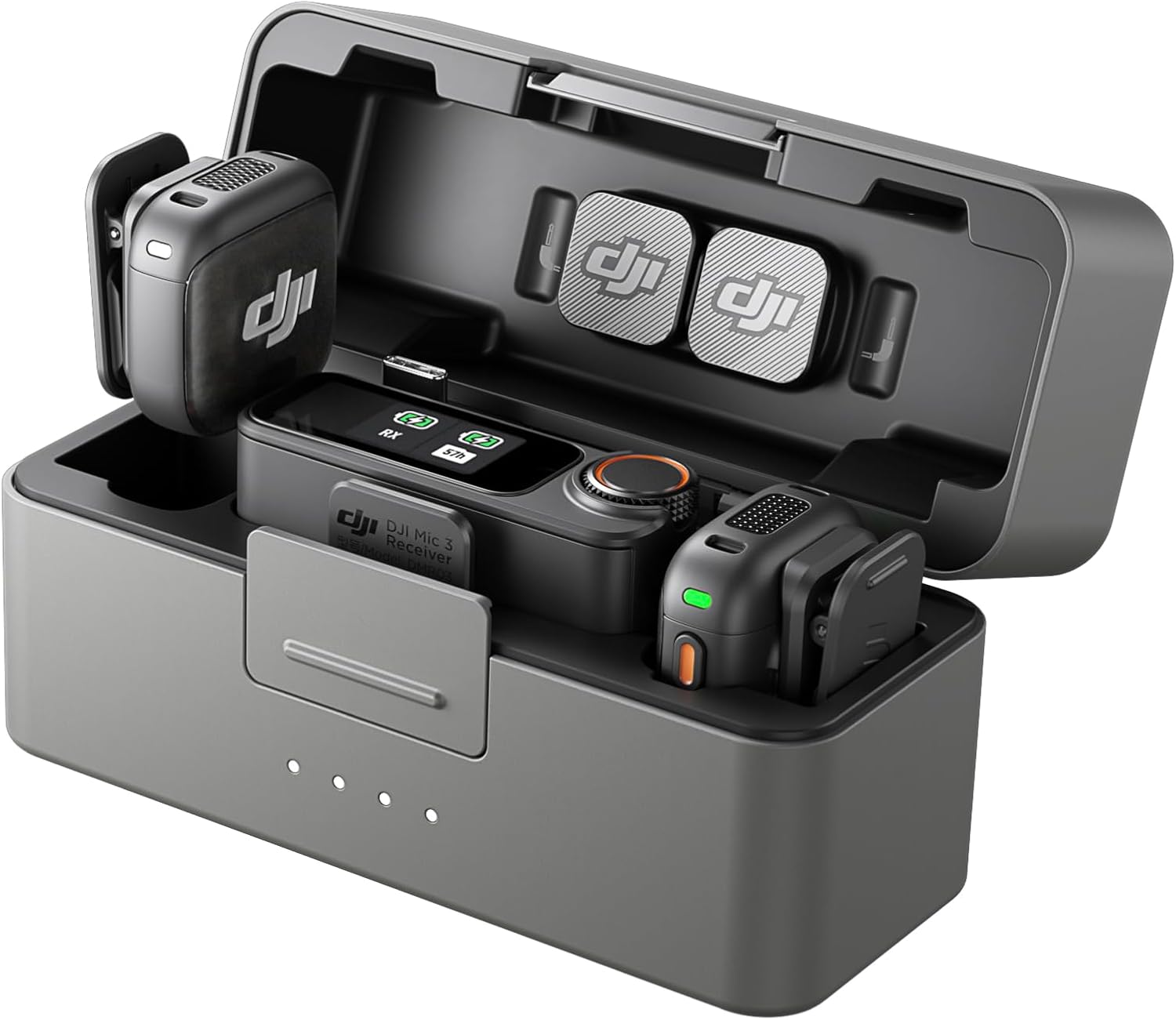
The compact DJI Mic 3 all-in-one charging case keeps your components safe, organized, and powered up.
In this deep-dive guide, we will walk you through exactly how to set up, configure, and maximize the DJI Mic 3 so you can pull flawless sound directly into your iPhone, Android, or mirrorless camera right out of the box.
Step 1: Unboxing and Charging Your System
When you open the box, you’ll find the heart of the system: two transmitters (TX), one receiver (RX), and a sleek charging case. Before doing anything else, drop the TX and RX units into their slots inside the case. Connect the case to a USB power source using the provided USB-C cable to juice it up. The charging case doesn't just protect your gear—it provides up to 28 hours of total battery life, ensuring you never run out of fuel during a long shoot day.
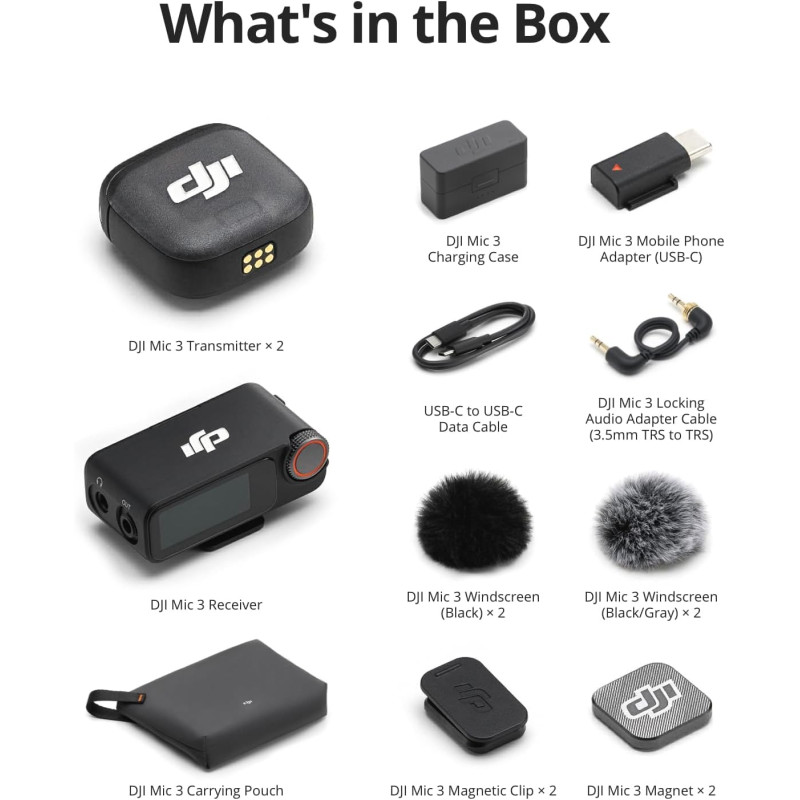
Everything included in the box: Transmitters, receiver, magnetic clips, windscreens, and adapters.
Step 2: Connecting to Your Camera or Smartphone
The DJI Mic 3 features seamless auto-pairing. The moment you pull the components out of the charging case, they turn on and sync instantly. Connecting to your recording device is incredibly intuitive:
- For Smartphones (iPhone/Android): Slide the included USB-C or Lightning mobile phone adapter into the bottom of the receiver, then plug it straight into your phone's port.
- For Mirrorless Cameras: Use the 3.5mm TRS cable to connect the receiver's audio output port to your camera's microphone input.
- Ecosystem Direct Connection: If you use other DJI gear (like the Osmo Action or Pocket series), the transmitters can utilize DJI OsmoAudio to pair directly with your device without even needing the receiver plugged in!
Step 3: Activating the Smart Features (The Magic Sauce)
To truly unlock premium sound, use the touchscreen interface on the receiver to enable these three critical settings:
- Turn on Adaptive Gain Control: Whether your subject is whispering a secret or shouting during an outdoor adventure, this feature automatically balances the volume levels in real-time, preventing harsh audio clipping.
- Select Your Noise-Cancelling Level: The DJI Mic 3 offers two robust levels of advanced environment noise cancellation. Turn it on to instantly wipe out humming AC units, traffic noise, or loud coffee shop background chatter.
- Engage 32-Bit Float Internal Recording: This is your ultimate safety net. The transmitters can record audio internally as standalone backup files. 32-bit float captures such massive dynamic range that even if your main camera track clips or distorts, you can easily recover the perfect, unclipped audio in post-production.
Ready to Transform Your Content?
Stop compromising on audio quality. Bring professional studio sound to your YouTube channel, TikToks, or podcast today.
Check the Latest Price on AmazonPro-Tips for Wearing Your Transmitters
DJI has made wearing these microphones incredibly versatile. The ultralight transmitters can be clipped onto shirts traditionally, but they also include powerful magnetic backplates. This allows you to place the transmitter underneath your shirt fabric seamlessly, hiding the bulky clip and keeping your video framing incredibly clean and minimalist.
Final Verdict: Is the DJI Mic 3 Worth It?
If you are serious about building an audience in the highly competitive US creator space, investing in your audio is non-negotiable. The DJI Mic 3 takes all the stress out of live sound management, acting like an invisible, professional sound engineer sitting inside your gear bag. For multi-person interviews, travel vlogging, or dynamic streaming, it’s one of the smartest investments you can make this year.


 Posts
Posts


0 Comments