
Deep-Dive Review: Unlocking the Tesla Network with the FOCSPROD NACS to CCS Adapter
This post contains affiliate links(included). If you make a purchase through these links, I may earn a small commission at no extra cost to you.
For non-Tesla electric vehicle (EV) owners in the US, range anxiety isn't always about battery capacity—it's about charger availability. While the CCS (Combined Charging System) network is growing, nothing beats the reliability and sheer volume of the Tesla Supercharger network.
With major automakers transitioning to the North American Charging Standard (NACS), you don't have to buy a new car to get access. You just need the right adapter. Today, we're taking a deep dive into the FOCSPROD NACS to CCS Adapter to see if it's the bridge you need for your next cross-country road trip.

What is the FOCSPROD NACS to CCS Adapter?
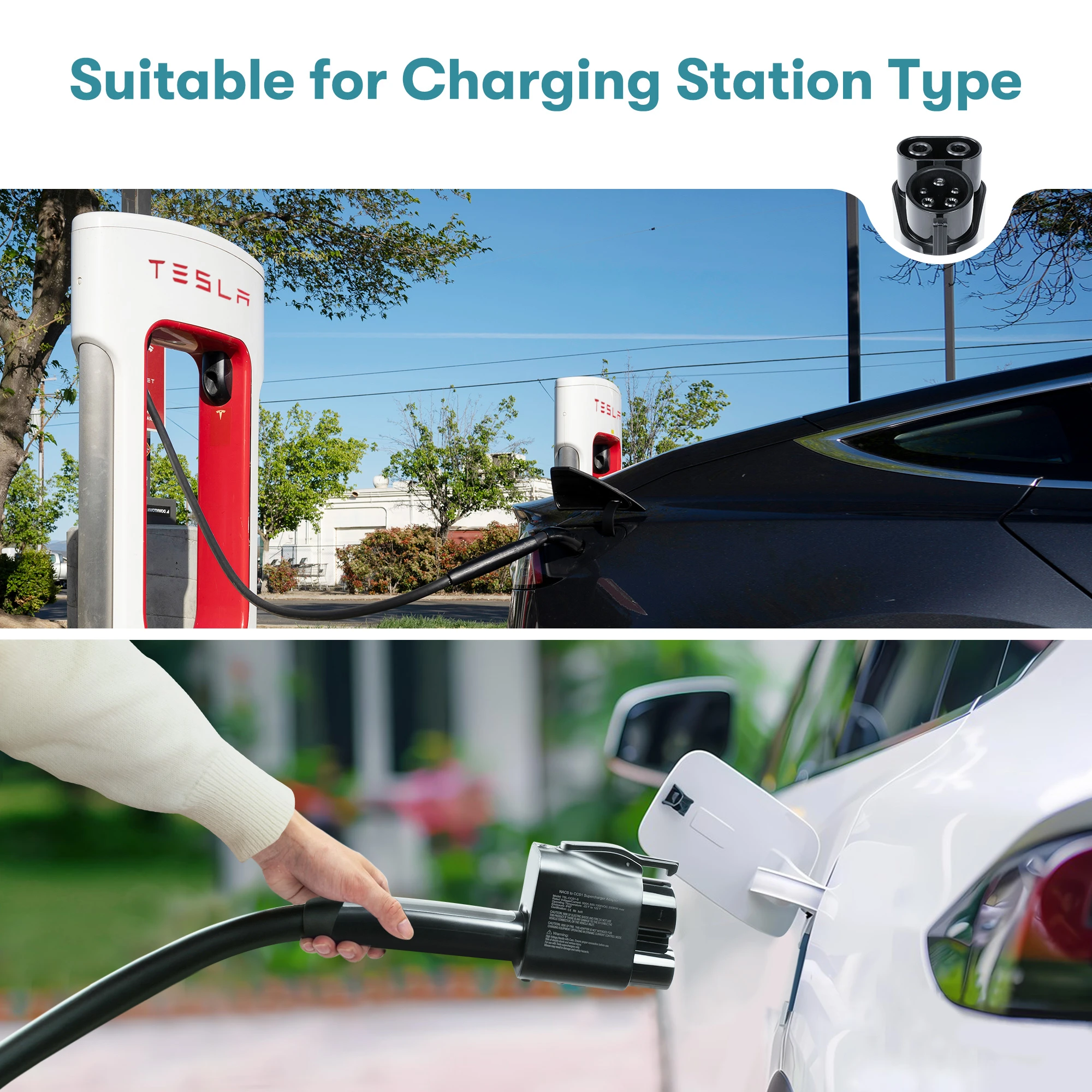
The FOCSPROD adapter is a heavy-duty, plug-and-play connector designed to let CCS1-equipped EVs (like the Ford Mustang Mach-E, Rivian R1T, VW ID.4, and Hyundai Ioniq 5) charge at enabled Tesla Superchargers. It acts as the physical translator between Tesla's proprietary NACS plug and your vehicle's CCS port.
Key Specifications:
- Max Current: 500 Amps
- Max Voltage: 1000 Volts DC
- Safety Features: Built-in temperature control chip and dual-interlock structure
- Compatibility: CCS1 EVs (Check your manufacturer's app to ensure Supercharger access is enabled)
The Good
- Significantly expands available fast-charging stations.
- Built-in temperature regulator stops charging if the unit overheats.
- Secure locking mechanism prevents accidental unplugs.
- Excellent price point compared to OEM options.
The Nuance
- Only works with DC Fast Chargers (Not for Level 1/2 AC home charging).
- Your specific car brand must have an active agreement with Tesla to work.
Comparison Guide: FOCSPROD vs. OEM Adapters
When shopping for a NACS to CCS adapter, you generally have two choices: wait and pay a premium for an OEM (Original Equipment Manufacturer) adapter from your car brand, or buy an aftermarket solution like FOCSPROD.
| Feature | FOCSPROD Adapter | Typical OEM Adapters |
|---|---|---|
| Price | Sub-$150 range | $150 - $300+ |
| Availability | Immediate (Amazon Prime) | Often backordered for months |
| Build Quality | Heavy-duty with thermal chip | Varies, generally high quality |
| Max Specs | 500A / 1000V | 300A - 500A / 1000V |
*Note on Certification: While many aftermarket adapters claim UL compliance, EV enthusiasts note that testing non-liquid cooled adapters at a true 500A continuous load is incredibly demanding. The FOCSPROD includes a thermal cutoff chip, which is exactly the safety net you want to prevent overheating during high-speed charging sessions.
How-To Guide: Charging at a Supercharger with the FOCSPROD Adapter
Using the adapter is incredibly straightforward, but sequence matters. Follow these steps for a flawless charging session:
Before you leave, ensure your automaker has officially gained access to the Supercharger network. You will need the Tesla app (or your manufacturer's native app) set up with a payment method.
Take the FOCSPROD adapter and push it firmly onto the end of the Tesla Supercharger cable. Wait for the "click". Give it a gentle tug to ensure the interlock has engaged.
Take the combined unit (Cable + Adapter) and plug it directly into your car's CCS port. The adapter's secure lock ensures it sits flush.
Use the Tesla App (or your vehicle's integrated software) to select your stall number and initiate the charge. Because the adapter lacks active electronics, the Supercharger communicates directly with your car just as it normally would.
The Final Verdict
If you are planning a road trip and are tired of pulling up to broken third-party chargers, a NACS to CCS adapter isn't just a luxury—it's a necessity. The FOCSPROD adapter offers a robust build, critical thermal safety features, and immediate availability at a fraction of the cost of dealer-branded alternatives.
Have you used an adapter at a Supercharger yet? Let me know your experience in the comments below!


 Posts
Posts


0 Comments